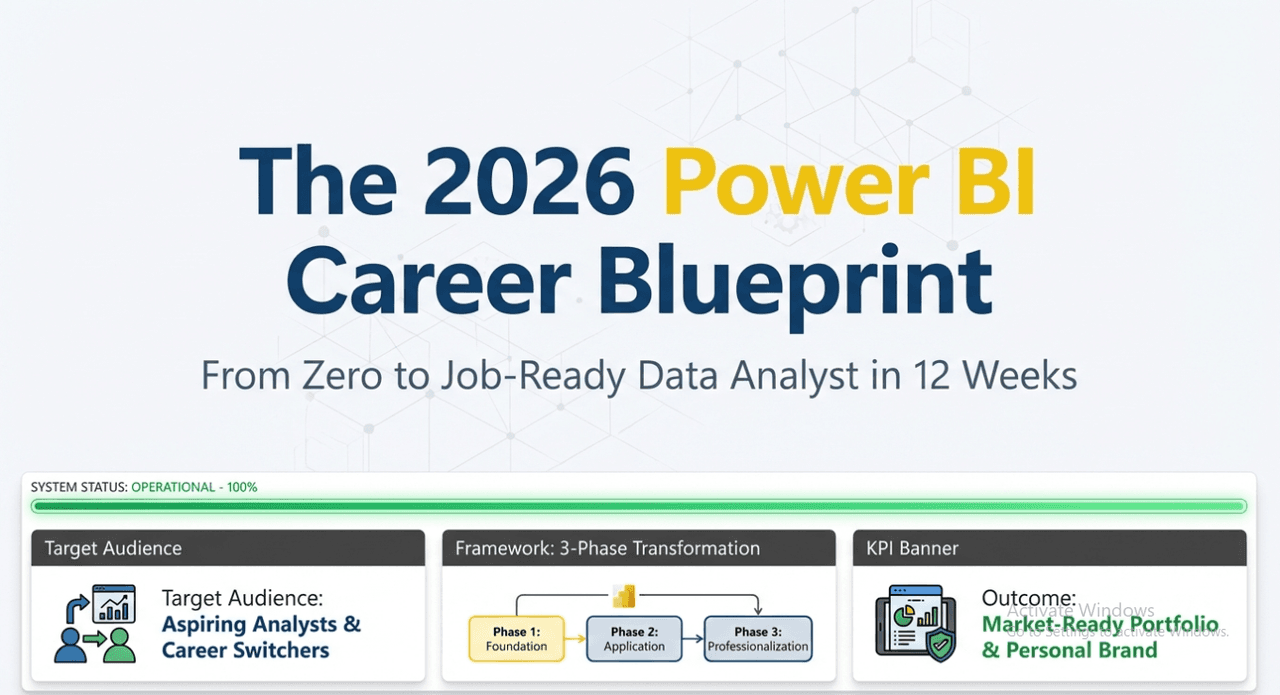
The Power BI Career Roadmap — From Zero to Data Analyst in 2026
You've decided you want a career in data analytics. Or maybe you're already in a non-data role and you see the direction things are going. You've heard "Power BI" mentioned in job listings, LinkedIn posts, and company meetings.
You open YouTube. You watch a 3-hour tutorial. You build something that kind of works. Then you don't know what to learn next.
That's not a learning problem. That's a roadmap problem.
This post gives you the roadmap that most people spend 6–12 months figuring out by accident. Every stage, in the right sequence, with the skills that actually matter for getting hired.
2. Why This Matters
The data analytics job market has never been more accessible — and more crowded. Power BI roles exist at every company that uses Microsoft infrastructure. BFSI, retail, manufacturing, healthcare, consulting — they all hire for it.
But "knowing Power BI" in 2024 is table stakes. The analysts getting hired are the ones who can:
- Model data correctly, not just visualize it
- Write DAX that explains itself
- Understand the full architecture from source to dashboard
- Speak the language of business stakeholders
- Present a portfolio that proves all of the above
This roadmap builds all of that — in the right order, at the right depth.
3. Core Content: The 5-Stage Power BI Career Roadmap
Stage 1: Foundations (Weeks 1–4)
Goal: Understand what Power BI is and build your first complete report
Before touching any advanced feature, you need to understand the architecture. Power BI is not a spreadsheet. It's a three-layer system:
- Data Layer — Power Query (connect, clean, transform)
- Model Layer — Relationships, tables, schema design
- Presentation Layer — Visuals, reports, dashboards
Most beginners skip straight to layer 3. That's why their reports are fragile.
Skills to build in Stage 1:
- Connect to at least 3 data sources (Excel, CSV, SQL database)
- Use Power Query to clean data: remove nulls, change types, merge tables, unpivot
- Build a basic star schema: one fact table + 2–3 dimension tables
- Understand relationships: cardinality, filter direction
- Build a basic report: bar chart, line chart, card visual, slicer, table
- Use basic DAX: SUM, COUNT, AVERAGE, simple measures
Milestone: Build a Sales Summary report with at least 5 visuals, basic filtering, and 3–4 measures. It doesn't have to look beautiful. It has to work correctly.
Common trap at Stage 1: Spending too much time on visual customization. Colors and fonts don't matter yet. Get the logic right first.
Stage 2: Data Modeling & Core DAX (Weeks 5–10)
Goal: Understand why the model is the product, and write DAX that explains itself
This is the stage most self-taught analysts skip — and it's the stage that separates the ones who get hired from the ones who build reports that break.
Skills to build in Stage 2:
Data Modeling:
- Understand grain: What does one row represent in your fact table?
- Build star schemas from scratch — fact tables, dimension tables, proper relationships
- Identify and fix common modeling problems: many-to-many without a bridge, bidirectional relationships overuse, fact-to-fact relationships
- Create and mark a date table — understand why time intelligence requires this
- Understand filter flow: how slicers affect measures through relationships
Core DAX:
- Filter context vs row context — understand this at depth, not just definition
- CALCULATE and its filter arguments
- FILTER, ALL, ALLEXCEPT, ALLSELECTED
- Time intelligence: TOTALYTD, SAMEPERIODLASTYEAR, DATEADD
- Iterator functions: SUMX, AVERAGEX, RANKX
- Variables (VAR/RETURN) — write every complex measure with them
- DIVIDE, COALESCE, ISBLANK, IFERROR
Milestone: Rebuild a model from a messy, flat dataset. Design the fact and dimension tables yourself. Write measures for: Total Revenue, Revenue LY, YoY Growth %, % of Total, Top N Products, Running Total.
Common trap at Stage 2: Memorizing DAX syntax without understanding filter context. You can look up syntax. You cannot look up intuition about how context flows through a model.
Stage 3: Advanced Capabilities (Weeks 11–16)
Goal: Build production-grade reports with professional design and advanced logic
Skills to build in Stage 3:
Advanced DAX:
- CALCULATE with multiple filter arguments
- Context transition in depth
- Dynamic measures using SELECTEDVALUE and disconnected tables
- SWITCH(TRUE(), ...) patterns for complex conditional logic
- Performance optimization: when to use measures vs calculated columns, avoiding FILTER on large tables, using variables correctly
Report Design:
- Layout principles: visual hierarchy, white space, alignment
- Using bookmarks for navigation and "view states"
- Tooltips, drillthrough, cross-highlight vs cross-filter
- Dynamic titles and conditional formatting with DAX
- Designing for both desktop and mobile
Row Level Security:
- Static RLS: define roles with DAX filters
- Dynamic RLS: using USERPRINCIPALNAME() with a mapping table
- Testing RLS in Desktop before publishing
Milestone: Build an end-to-end analytics dashboard: clean model, 10+ meaningful measures, dynamic navigation, RLS configured, mobile view considered. This becomes portfolio project #1.
Stage 4: Power BI Service & Enterprise Skills (Weeks 17–22)
Goal: Operate in real enterprise environments, not just on your laptop
This stage separates developers from analysts. Most analysts know Desktop. Fewer understand the Service architecture at depth.
Skills to build in Stage 4:
Power BI Service:
- Workspaces: how to organize, who gets what access
- Publishing and managing datasets vs reports
- Scheduled refresh: setup, gateway configuration, troubleshooting
- Sharing: who can see what and how (share, workspace, app, embed)
Deployment & Governance:
- Deployment pipelines (Dev → Test → Production)
- Dataset endorsement (Promoted, Certified)
- Data lineage view and impact analysis
- Sensitivity labels and information protection basics
Performance Engineering:
- Incremental refresh for large datasets
- Aggregation tables
- DirectQuery vs Import tradeoffs in enterprise context
- Using DAX Studio for measure profiling
- VertiPaq Analyzer for model optimization
Dataflows:
- Creating and reusing dataflows for shared ETL logic
- Connecting multiple datasets to one dataflow
Milestone: Publish a complete dataset to the Service. Configure scheduled refresh. Set up a deployment pipeline. Test RLS in Service. Share as an App.
Stage 5: Portfolio, PL-300, and Career Launch (Weeks 23–26)
Goal: Get hired
Skills without proof don't get you interviews. This stage is about translating everything you've built into a career package.
Portfolio (3 projects minimum):
Project 1 — Sales Analytics Dashboard
- Source: Superstore, AdventureWorks, or similar
- Covers: Star schema, time intelligence, YoY, running totals, RLS
- Shows: Modeling + DAX + design skills
Project 2 — HR or Financial Analytics
- Source: HR dataset (headcount, attrition) or financial data (P&L, budget vs actuals)
- Covers: More complex business logic, grain management, budget vs actuals pattern
- Shows: Business domain understanding + advanced DAX
Project 3 — End-to-End (Your Choice of Domain)
- Covers everything: Power Query, model, DAX, Service, RLS, deployment
- Published and shared publicly as a Power BI App or embedded link
- Shows: Full lifecycle capability
PL-300 Exam:
Microsoft's Power BI Data Analyst certification. It's not a guarantee of skill, but it signals commitment and validates foundational knowledge. Study resources: Microsoft Learn (free), practice exams, and the series you're building.
Study domains:
- Prepare the data (Power Query) — 25–30%
- Model the data (relationships, DAX) — 25–30%
- Visualize and analyze the data — 25–30%
- Deploy and maintain assets — 10–15%
LinkedIn + Job Applications:
- Headline: "Power BI Data Analyst | SQL | Data Storytelling"
- About section: What you can do for a business, not what tools you know
- Featured: Link to your published Power BI reports
- Content: Post 1–2 insights per week — a DAX tip, a modeling principle, a project showcase
- Apply strategically: Target roles where 70–80% of listed skills match yours, not 50%
4. Technical Insight: What Employers Actually Test
Based on the types of roles hiring Power BI professionals, here's what technical screens actually evaluate:
Junior/Associate Data Analyst (0–2 years):
- Basic Power Query transformations
- Star schema understanding
- SUM, CALCULATE, basic time intelligence
- Ability to explain filter context verbally
- One solid portfolio project
Power BI Developer / BI Analyst (2–4 years):
- Complex DAX: iterators, context transition, dynamic measures
- Enterprise service: deployment pipelines, RLS, incremental refresh
- Performance optimization awareness
- SQL for data sourcing (joins, aggregations, CTEs)
- Two or more portfolio projects in different domains
Senior BI Developer / Analytics Engineer (4+ years):
- Full architecture design (dataflows, composite models)
- Advanced performance engineering
- Stakeholder management and requirements translation
- Mentoring and documentation
- Often expected to know Python or Fabric concepts
5. Common Mistakes on the Career Path
Mistake 1 — Learning in a random order
YouTube algorithms serve content by views, not by learning progression. A video on advanced CALCULATE before understanding filter context is useless at best, confusing at worst. Follow a structured sequence.
Mistake 2 — Building reports but not models
If your portfolio shows 5 dashboards but all use flat tables with no explicit data model design, interviewers will probe and find the gap quickly.
Mistake 3 — Ignoring SQL
Most enterprise data lives in databases. Power BI analysts who can also query SQL directly are significantly more valuable. Even basic SELECT / JOIN / GROUP BY / WHERE / CASE fluency opens more doors.
Mistake 4 — Waiting until "ready" to apply
"Ready" is a moving target. Apply when you have 2 solid projects and can explain your modeling decisions. The first 3 interviews are practice. The offer comes from the experience you build applying.
Mistake 5 — Confusing certification with capability
PL-300 is a signal, not a substitute for skill. Get the cert after you've built real projects — not as a shortcut to them.
6. Pro Tips
- Domain knowledge multiplies your value. A Power BI analyst who understands retail inventory metrics is more valuable in retail than a generic analyst. Pick a domain, go deep.
- Your GitHub or blog is more powerful than a certificate. Written explanations of your modeling decisions signal thinking skills that no exam can measure.
- Learn one SQL concept per week. In 10 weeks you'll be dangerous enough to access most data sources yourself.
- Join the Power BI community. The Microsoft Power BI Community forum, LinkedIn Data Analytics groups, and local data meetups are where you get visibility and feedback.
- Follow the PL-300 structure even if you don't take the exam. It's a well-organized skill map.
7. Summary
| Stage | Focus | Duration | Milestone |
|---|---|---|---|
| 1 | Foundations | Weeks 1–4 | First complete report |
| 2 | Modeling + Core DAX | Weeks 5–10 | Star schema + 6 measures |
| 3 | Advanced DAX + Design | Weeks 11–16 | Portfolio Project 1 |
| 4 | Service + Enterprise | Weeks 17–22 | Published App + Pipelines |
| 5 | Portfolio + PL-300 + Job | Weeks 23–26 | Job-ready |
6 months. Structured. Honest. That's the roadmap.
It's not easy. But it's not mysterious either. Everyone who has built a Power BI career followed some version of this sequence — most just did it inefficiently, by accident, over 2–3 years instead of 6 months.
8. CTA
This roadmap tells you what to learn and in what order.
Namste Power BI — From Basics to Interviews is what you actually learn it with.
It's a structured series that takes you through every stage of this roadmap — with real datasets, real business scenarios, DAX explained from first principles, and interview-level depth throughout.
No random YouTube rabbit holes. No gaps in your foundation. Just a clear path from zero to job-ready.
Start now at devwithdata.in
LinkedIn Post
Hook:
6 months ago you had zero Power BI skills.
You could be job-ready today.
Most people take 2–3 years to figure this out. They get there — but in the wrong order, with gaps they discover in interviews.
Bridge:
Here's the roadmap that removes the guesswork:
Value:
5 stages. 26 weeks. One outcome.
Stage 1 — Foundations (Weeks 1–4):
Connect data. Clean it in Power Query. Build a star schema. Write your first 4 measures. Make a report that actually works.
Stage 2 — Modeling + Core DAX (Weeks 5–10):
This is the stage most people skip — and then wonder why their measures return wrong numbers.
Filter context. CALCULATE. Time intelligence. Iterators. You need to own this.
Stage 3 — Advanced DAX + Report Design (Weeks 11–16):
Dynamic measures. RLS. Bookmarks. Context transition.
This is where you build Portfolio Project 1.
Stage 4 — Power BI Service + Enterprise (Weeks 17–22):
Deployment pipelines. Incremental refresh. DAX Studio. VertiPaq.
This is what separates analysts from developers in interviews.
Stage 5 — Portfolio + PL-300 + Job Launch (Weeks 23–26):
3 portfolio projects. Certification. LinkedIn optimized. Applications started.
The mistake I see most: learning in random order because YouTube recommends by views, not by learning progression.
Follow the sequence. Build in layers. Don't skip Stage 2.
CTA:
Full roadmap with skills, milestones, and what interviewers actually test at each level — on devwithdata.in
If you want to follow this roadmap with a structured series built around it — Namste Power BI has you covered from Day 1 to interview day.
What stage are you at right now? Drop it in the comments.
#PowerBI #DataAnalytics #CareerRoadmap #DataAnalyst #PowerBIDeveloper #BICareer #PL300 #DevWithData #DataCareers

Shashikant
· Founder, DevWithDataData professional and Power BI instructor. Building DevWithData to help analysts prove their skills, not just collect certificates.
Reading is not enough. Prove your skill.
DevWithData measures your actual ability with the Data Readiness Index. Stop reading — start practicing.
Continue Learning
25 Power BI Interview Questions That Actually Get Asked in 2026
These aren't textbook questions — they're the ones that separate candidates who get hired from those who freeze. Real scenarios, real DAX problems, and the exact reasoning interviewers want to hear.
4 min readThe Only DAX Functions Cheat Sheet You'll Ever Need (Power BI 2026)
Stop Googling DAX syntax mid-build. This cheat sheet organizes 50+ functions by purpose — the way working analysts actually think. Includes CALCULATE patterns, time intelligence, and the 3 formulas that solve 80% of business problems.
5 min read10 Common Power BI Mistakes That Make Your Reports Wrong and Slow
These 10 mistakes cost beginners weeks of debugging. Every one is preventable if you know what to watch for — from the mega-table anti-pattern to the CALCULATE trap that produces silently wrong numbers.
5 min read