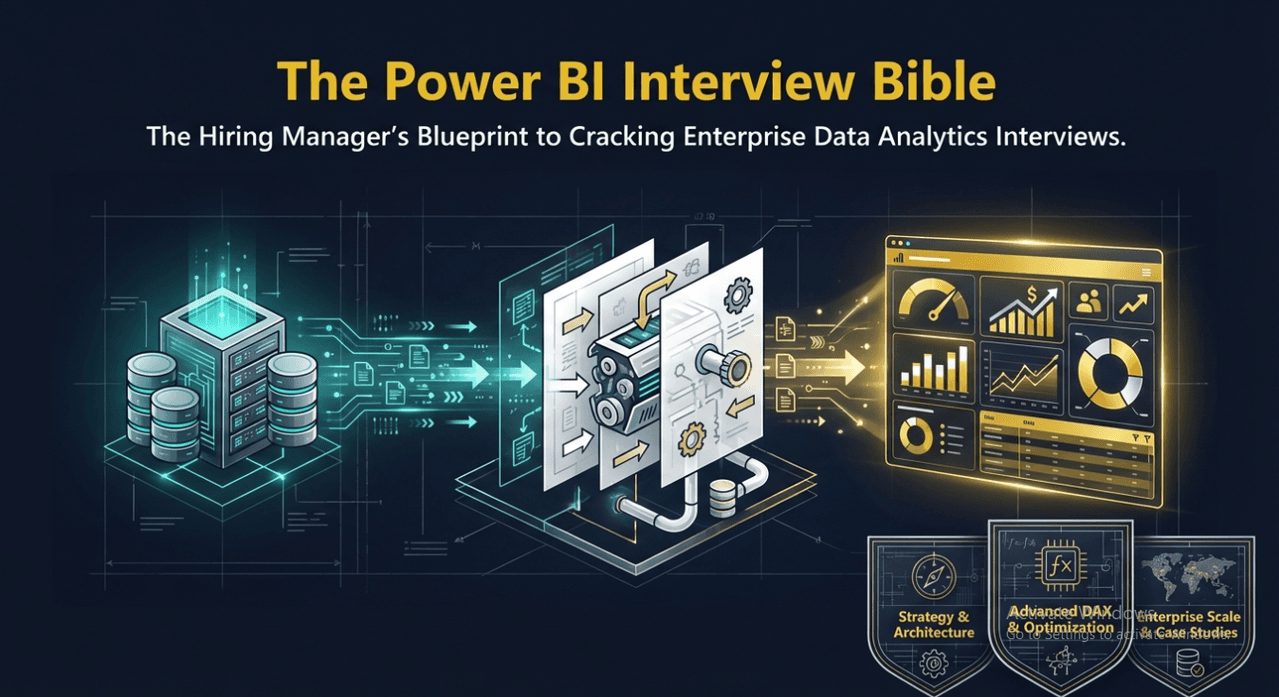
25 Power BI Interview Questions That Actually Get Asked in 2026
You studied Power BI for months. You know how to build reports. You've done projects.
Then the interviewer asks: "What's the difference between row context and filter context?"
And you freeze.
Not because you don't know DAX — but because you've never had to articulate it under pressure. That's the gap between knowing Power BI and interviewing in Power BI. This post closes that gap.
These are the 30 questions that actually get asked in Power BI interviews at data analyst, BI developer, and analyst roles — with answers written the way a strong candidate would actually say them.
Why This Matters
Power BI roles have exploded across industries — BFSI, retail, manufacturing, healthcare, consulting. But the interview process is inconsistent. Some companies test concepts. Some test live DAX. Some go deep on data modeling. Most test all three.
The analysts who get offers aren't always the ones who've built the most dashboards. They're the ones who can explain their thinking clearly, handle pressure questions, and connect technical answers to business value.
This guide covers all three layers: conceptual, technical, and situational.
Core Content: 30 Questions Across 5 Categories
CATEGORY 1: Conceptual Foundations (Questions 1–6)
Q1. What is Power BI and what are its main components?
Power BI is Microsoft's business intelligence platform for connecting to data, transforming it, building data models, and creating interactive reports. Its three main components are:
- Power BI Desktop — the development environment where you build models and reports
- Power BI Service — the cloud platform for publishing, sharing, and collaborating
- Power BI Mobile — for consuming reports on mobile devices
Supporting components include Power Query (ETL layer), the Data Model (relationships and schema), DAX (calculation engine), and the Visualization layer.
Q2. What is the difference between Import mode and DirectQuery mode?
In Import mode, data is loaded into Power BI's in-memory engine (VertiPaq). Queries are fast because they run against compressed, in-memory data. The tradeoff is scheduled refresh and storage limits.
In DirectQuery mode, no data is stored in Power BI. Every interaction sends a live query to the source database. This means always-current data but slower performance, and you lose certain DAX functionality.
The right choice depends on data volume, refresh requirements, and source system performance. Import mode is preferred when possible; DirectQuery is used when data must be real-time or exceeds size limits.
Q3. What is Power Query and when would you use it over DAX?
Power Query (M language) is the data preparation layer — it runs before the data enters the model. Use it for: connecting to sources, removing/splitting columns, unpivoting data, merging tables, handling data type issues, and any transformation that should happen once during load.
DAX runs after the model is built — it creates measures and calculated columns at query time. Use it for: business logic, dynamic calculations, KPIs, and anything that depends on filter context.
Rule of thumb: If a transformation can be done in Power Query, do it there. Don't use calculated columns to do what Power Query should handle.
Q4. What is a Star Schema and why does Power BI prefer it?
A Star Schema is a modeling pattern where one central fact table connects to multiple dimension tables via one-to-many relationships. The fact table contains measurable events (sales transactions, log entries). Dimension tables contain descriptive attributes (products, customers, dates).
Power BI's VertiPaq engine is optimized for star schemas. Benefits:
- Filter flow is predictable (always from dimension to fact)
- Relationships are simple and performant
- DAX calculations are easier to reason about
- Avoids ambiguous bi-directional filter issues
Snowflake schemas (normalized dimensions) can work but require more complex relationships and often hurt performance.
Q5. What is the difference between a Measure and a Calculated Column?
| Measure | Calculated Column | |
|---|---|---|
| Stored | In memory at query time | In the table, materialized at load/refresh |
| Context | Responds to filter context | Row context only (calculated row by row) |
| Use | KPIs, aggregations, dynamic values | Segmentation, categories, values needed in slicer |
| Performance | More efficient for aggregations | Increases model size |
Interview signal: Knowing that calculated columns increase model size and measures don't — and explaining why — separates strong candidates.
Q6. What is a date table and why is it required for time intelligence?
A date table is a dedicated table with one row per date, a contiguous range covering all dates in your data, and a column marked as the date key. Power BI requires this for time intelligence functions (TOTALYTD, SAMEPERIODLASTYEAR, etc.) because these functions need to understand the calendar structure to shift periods correctly.
Without a proper date table marked via "Mark as date table," time intelligence functions either fail or return incorrect results. The date table must be connected to fact tables via relationships on the date column.
CATEGORY 2: DAX (Questions 7–14)
Q7. Explain CALCULATE. Why is it the most important DAX function?
CALCULATE evaluates an expression in a modified filter context. It's the only function in DAX that can change the filter context in which a measure is evaluated.
Every filter argument after the expression either adds, replaces, or removes filters before the expression is calculated. This makes it the foundation of almost every meaningful measure — % of total, YoY comparisons, conditional aggregations — they all depend on CALCULATE's ability to alter what data the measure "sees."
Revenue North = CALCULATE([Total Revenue], Region[Region] = "North")
This measure takes Total Revenue but evaluates it only where Region is "North" — regardless of what slicer the user has selected.
Q8. What is the difference between row context and filter context?
Filter context is created by visuals, slicers, filters, and CALCULATE. It defines which rows are visible to a measure. Measures always run in filter context.
Row context is created by calculated columns and iterator functions (SUMX, FILTER, etc.). It defines the current row being evaluated in an iteration.
The most misunderstood concept in DAX: a calculated column knows which row it's on (row context), but a measure doesn't know rows — it knows filters (filter context). CALCULATE converts row context into filter context — this is called context transition.
Q9. What is context transition?
Context transition occurs when CALCULATE is called inside a row context (e.g., inside a calculated column or an iterator like SUMX). CALCULATE automatically converts the current row context into an equivalent filter context — meaning it creates a filter for every column in the current row.
This can cause unexpected results if not understood. It's also what makes measures callable inside SUMX powerful — but also dangerous if you don't realize the full filter context being generated.
Q10. What does ALL() do inside CALCULATE?
ALL() removes filters. Inside CALCULATE, ALL(Table) removes all filters on that table; ALL(Table[Column]) removes filters only on that column.
Classic use case — % of Total:
% of Total = DIVIDE([Total Sales], CALCULATE([Total Sales], ALL(Sales)))
The denominator ignores all filters on Sales, giving the grand total. The numerator keeps the current filter context. Dividing gives the percentage.
Q11. What is the difference between ALL, ALLEXCEPT, and ALLSELECTED?
- ALL — removes all filters on the specified table or column(s). Completely ignores the user's selections.
- ALLEXCEPT — removes all filters except the specified columns. Useful for "% of subtotal" patterns.
- ALLSELECTED — removes filters applied by the current visual but keeps filters from slicers/page filters. Used for "% of visible total" patterns.
The difference between ALL and ALLSELECTED is the single most tested DAX concept in senior interviews.
Q12. When would you use SUMX instead of SUM?
Use SUMX when the value you're aggregating doesn't exist as a pre-summed column — specifically when you need to perform row-level calculation before aggregating.
-- WRONG: aggregates separately, then multiplies
Wrong Revenue = SUM(Sales[Qty]) * SUM(Sales[Price])

-- CORRECT: multiplies per row, then sums
Revenue = SUMX(Sales, Sales[Qty] * Sales[Price])
If a "Revenue" column already exists in the table, SUM(Sales[Revenue]) is correct and more efficient than SUMX.
Q13. What are variables in DAX and why should you use them?
Variables (VAR / RETURN) store an expression's result and reuse it multiple times in the same measure. They improve:
- Performance — evaluated once, not recalculated each time they're referenced
- Readability — named intermediate results make complex measures understandable
- Debugging — you can return a VAR directly to inspect its value
YoY % =
VAR CurrentSales = [Total Sales]
VAR PriorSales = CALCULATE([Total Sales], SAMEPERIODLASTYEAR('Date'[Date]))
RETURN
DIVIDE(CurrentSales - PriorSales, PriorSales, 0)
Q14. What is RANKX and what are its common pitfalls?
RANKX ranks the current row's value against a table of values.
Sales Rank = RANKX(ALL(Products[Product]), [Total Sales], , DESC, DENSE)
Common pitfalls:
- Forgetting ALL() — without it, RANKX only ranks within the current filter context, making every product rank #1
- DENSE vs SKIP — DENSE gives 1,2,3,3,4; SKIP gives 1,2,3,3,5. Most business users expect DENSE
- Performance — RANKX on a large table with many visuals can be slow; consider pre-calculating rank in Power Query for static scenarios
CATEGORY 3: Data Modeling (Questions 15–19)
Q15. What is cardinality and why does it matter in relationships?
Cardinality defines the nature of the relationship between two tables:
- One-to-many (1:*) — most common and recommended. One row in dimension matches many in fact.
- Many-to-one (*:1) — same as above, just from the fact side perspective.
- One-to-one (1:1) — tables can be merged; separate tables suggest a modeling issue.
- Many-to-many (:) — requires a bridge table or Power BI's many-to-many feature. Can cause fan trap or chasm trap issues.
Incorrect cardinality is one of the most common causes of wrong DAX results and should always be validated during model design.
Q16. What is Row Level Security (RLS) and how do you implement it?
RLS restricts data access at the row level based on the logged-in user's identity. In Power BI Desktop, you define roles with DAX filter expressions. For example:
[Region] = USERPRINCIPALNAME()
This restricts each user to only see rows where their email matches the Region column. After publishing to Power BI Service, you assign users or security groups to roles.
Static RLS — rules are hardcoded in role definitions.
Dynamic RLS — uses functions like USERPRINCIPALNAME() with a mapping table to scale to many users without creating multiple roles.
Q17. What is a bridge table and when do you need one?
A bridge table resolves many-to-many relationships between two tables by introducing an intermediary. For example, if one product can belong to multiple categories and one category contains multiple products, you create a ProductCategory bridge table with one row per product-category combination.
Without a bridge table, many-to-many in Power BI can lead to incorrect aggregations due to duplicated filter paths.
Q18. What is the difference between active and inactive relationships?
Power BI only uses one active relationship between two tables at a time. When you need to filter the same fact table by multiple date columns (e.g., Order Date and Ship Date both connecting to a Date table), only one can be active. The others are inactive.
Use USERELATIONSHIP(Col1, Col2) inside CALCULATE to temporarily activate an inactive relationship for a specific measure:
Ship Date Revenue = CALCULATE([Total Revenue], USERELATIONSHIP(Sales[ShipDate], 'Date'[Date]))
Q19. What causes a circular dependency in DAX and how do you fix it?
A circular dependency occurs when a calculated column references another calculated column that (directly or indirectly) references the first. Power BI cannot determine the calculation order.
Fix: Use measures instead of calculated columns where possible. If calculated columns are required, restructure the logic so there is a clear, non-circular dependency chain.
CATEGORY 4: Reports & Service (Questions 20–24)
Q20. What is the difference between a Power BI report and a dashboard?
A report is a multi-page, interactive document built from a single dataset. Users can cross-filter, drill down, use slicers. Reports live in workspaces.
A dashboard is a single-page, curated view composed of "tiles" pinned from reports (or other sources). Dashboards can pull from multiple datasets. They don't support filtering the way reports do — they're designed for high-level monitoring.
Interview signal: Understanding this distinction and knowing when to build each demonstrates real-world service experience.
Q21. What is a workspace in Power BI Service and how should they be organized?
A workspace is a collaborative environment in Power BI Service where reports, datasets, dashboards, and dataflows are stored. Best practices:
- Separate development, UAT, and production workspaces
- Use deployment pipelines to promote content between environments
- Assign workspace roles (Admin, Member, Contributor, Viewer) based on least-privilege
- Use Premium or PPU workspaces for deployment pipelines and enterprise features
Q22. What are deployment pipelines?
Deployment pipelines allow you to manage the lifecycle of Power BI content across Dev → Test → Production stages. They automate the process of promoting reports and datasets between environments, support parameter overrides per stage (e.g., different database connections), and maintain content history.
Available only in Premium capacity or Premium Per User licenses.
Q23. How do you schedule a data refresh in Power BI Service?
In Power BI Service, go to the dataset settings → Scheduled refresh. You can configure up to 8 refreshes per day (48 on Premium). Requirements:
- A gateway must be installed for on-premises data sources
- Credentials must be stored in the service
- The dataset must use Import mode (DirectQuery refreshes automatically on query)
Q24. What is a dataflow and how does it differ from a dataset?
A dataflow is a reusable ETL component in Power BI Service built using Power Query Online. It extracts and transforms data and stores results in Azure Data Lake. Multiple datasets can connect to the same dataflow, promoting a single source of truth for transformations.
A dataset is the prepared, modeled data layer with relationships and measures that reports are built on.
Dataflows → Datasets → Reports is the clean separation of concerns in an enterprise architecture.
CATEGORY 5: Situational / Behavioral (Questions 25–30)
Q25. A report that worked yesterday is showing wrong numbers today. How do you troubleshoot?
Start by identifying the scope: Is it all visuals or one? Check if a dataset refresh failed. Inspect the DAX measure for context-dependent behavior that could shift with new data. Use the Performance Analyzer to check query results. Check if a filter or relationship was modified. If data recently changed shape (new nulls, new categories), check if that's affecting the measure logic. Then trace back through Power Query to confirm source data integrity.
Q26. A stakeholder wants a metric that doesn't exist in the source data. How do you handle it?
First, understand the business definition completely — what exactly are they measuring, over what time period, with what exclusions? Document it. Then determine whether it can be derived from existing data or requires a new data source. Build the measure with clear naming, document the logic in the model, and validate the result against a known benchmark (e.g., a manually calculated sample). Present the result with caveats if approximations were necessary.
Q27. How do you optimize a slow Power BI report?
- Reduce visual count — each visual is a DAX query; fewer visuals = faster page load
- Avoid calculated columns for aggregation logic — use measures instead
- Avoid high-cardinality columns in visuals (e.g., row-level transaction IDs)
- Use aggregation tables for large fact tables
- Check DAX with DAX Studio — identify slow measures using Server Timings
- Import mode over DirectQuery where possible
- Optimize Power Query — remove unnecessary columns and rows early in the transformation
- Use VertiPaq Analyzer to inspect model size and column cardinality
Q28. Have you worked with any data modeling anti-patterns? How did you identify and fix them?
Strong answer structure: Name the anti-pattern (e.g., many-to-many without a bridge table, or bidirectional relationships causing filter ambiguity). Explain how it manifested — wrong totals, duplicate rows in aggregations, or circular dependency errors. Describe the investigation process — using model view, DAX Studio, or checking relationship cardinality. Then describe the fix: restructuring relationships, introducing bridge tables, or splitting calculated columns into measures.
Q29. What's the most complex DAX measure you've written and why?
This is a portfolio question. Have a prepared answer with: the business problem, the measure logic, the key functions used, and what made it non-trivial. Ideal examples: dynamic ranking with slicer-driven N selection, cumulative metrics with context sensitivity, or a multi-variable cohort analysis. Explain your use of variables, why you structured the logic the way you did, and how you validated the result.
Q30. Why do you want to work in Power BI / BI development specifically?
The answer interviewers remember: Connect it to business impact. BI developers sit at the intersection of data and decisions. Every dashboard you build affects how leadership allocates resources, how teams measure success, and how quickly problems get caught. Power BI specifically is important because it's the dominant enterprise BI tool and integrating with the Microsoft ecosystem creates real leverage in how organizations operate. Pair this with genuine enthusiasm for the technical depth — DAX, modeling, performance engineering — to show this isn't just a fallback role.
Technical Insight: How to Handle Live Coding in a Power BI Interview
Some companies ask you to write DAX on the spot — in Notepad, shared screen, or whiteboard. Strategy:
- Think out loud — narrate your reasoning as you write
- Start with the measure name and structure — show you know the pattern before filling details
- Call out filter context explicitly — "here I'm using CALCULATE because I need to override the filter..."
- Use DIVIDE, not / — shows attention to edge cases
- Format your code — indentation signals professionalism even under pressure
Common Mistakes in Power BI Interviews
- Confusing
SUMwithSUMXwhen asked "how would you calculate revenue from Qty and Price?" - Saying "I'd use a calculated column" for dynamic aggregations — this signals a modeling knowledge gap
- Not knowing what "filter context" means when asked about CALCULATE
- Describing a feature without connecting it to when you'd use it — interviewers want judgment, not a features list
- Not having any answers prepared for Q28/Q29 — most interviews end with portfolio questions and silence is a red flag
Pro Tips
- Prepare a 2-minute story for every project on your resume. You should be able to explain: the business problem, the data, what you built, and the impact — in exactly 2 minutes.
- Know your model cold. "What's the grain of your fact table?" is a common deep-dive. If you can't answer for your own project, it raises doubts.
- Ask clarifying questions before answering technical scenarios. "Could you tell me more about the data source?" signals experience, not weakness.
- Practice saying "I don't know, but here's how I'd find out." It's better than a wrong answer delivered confidently.
Summary
Power BI interviews test three layers simultaneously:
- Conceptual understanding — modeling, architecture, mode differences
- DAX fluency — context, common patterns, when to use what
- Situational judgment — troubleshooting, optimization, stakeholder communication
Prepare across all three. Have answers to at least the top 15 questions in this list at the tip of your tongue. And always connect technical answers to business value — that's what separates candidates who get offers.
CTA
If you're preparing for a Power BI role, knowing the answers to these 30 questions is a strong start.
But interviews test depth — not just recall. To explain why CALCULATE works, or when to use DirectQuery vs Import, you need to have actually built with these concepts.
Namste Power BI — From Basics to Interviews covers every concept in this list with real examples, real datasets, and interview-framed explanations throughout.
Build the understanding. Then walk into the interview.
Start at devwithdata.in

Shashikant
· Founder, DevWithDataData professional and Power BI instructor. Building DevWithData to help analysts prove their skills, not just collect certificates.
Reading is not enough. Prove your skill.
DevWithData measures your actual ability with the Data Readiness Index. Stop reading — start practicing.
Continue Learning
The Power BI Career Roadmap — From Zero to Data Analyst in 2026
Stop learning Power BI in random order. This 26-week roadmap takes you from zero to job-ready by focusing on 5 essential stages: Foundations , Modeling/Core DAX , Advanced Design , Enterprise Service Skills, and Career Launch. Learn to master the Context Engine, write professional DAX, and build a three-project portfolio that proves your Data Readiness. Don't just follow tutorials—follow a sequence that turns you into an elite analyst at devwithdata.in.
10 min read10 Common Power BI Mistakes That Make Your Reports Wrong and Slow
These 10 mistakes cost beginners weeks of debugging. Every one is preventable if you know what to watch for — from the mega-table anti-pattern to the CALCULATE trap that produces silently wrong numbers.
5 min readStar Schema in Power BI: The Complete Guide to Dimensional Modeling
Every slow report, wrong total, and unpredictable slicer traces back to the data model. Star schema isn't a best practice — it's what Power BI's engine is literally built for. Here's how to implement it correctly.
5 min read